Gamdom Account and Registration: Sign-Up, Security and Verification
 Available in US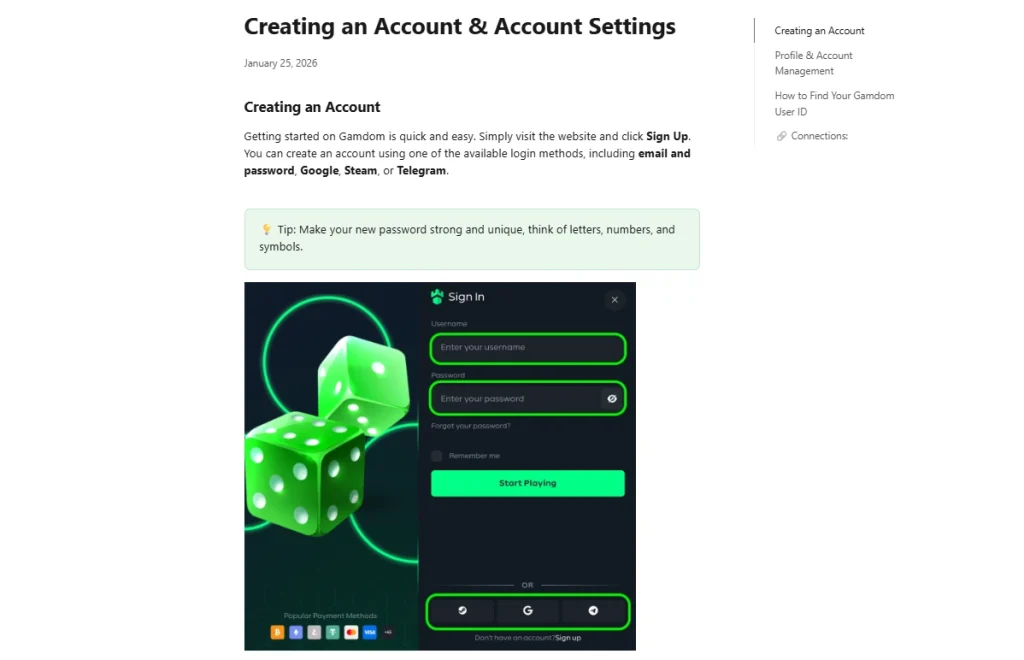
Gamdom Australia Guide
Updated 8 September 2026
Gamdom currently documents four account-creation methods: email and password, Google, Steam and Telegram. Its Help Center also documents authenticator-app two-factor authentication for account security. Those are product mechanics, not proof that an Australian user will be accepted in the live registration flow. The public Help Center documentation is current, but Australia’s presence in the live country selector was not independently confirmed, so this page does not state that Australia appears as a selectable registration country.
The practical way to evaluate a Gamdom account is therefore to separate four questions: how the account is created, how it is secured, when identity verification can be requested, and what to do when a payment or account action is restricted. This guide handles the account layer. Detailed identity-document requirements belong in the Gamdom KYC guide, while payment and withdrawal mechanics are covered separately.
Table of Contents
- Gamdom account setup at a glance
- Current Gamdom sign-up methods
- What the account profile is for
- Account creation is not the same as KYC
- Use a strong credential strategy from the start
- What authenticator-app 2FA adds
- One active account per player
- Registration, deposits and withdrawals are separate checks
- What to do if KYC appears on the account
- If you suspect an account compromise
- Account decision checklist for Australian readers
- Gamdom account FAQ
- Sources checked for this account guide
- Gamdom Account and Registration: Sign-Up, Security and Verification
Gamdom account setup at a glance
| Account question | Current verified position | What it means in practice |
|---|---|---|
| How can an account be created? | Email and password, Google, Steam or Telegram are documented. | Choose one login route you can continue to control securely. |
| Is 2FA supported? | Yes. Gamdom documents authenticator-app two-factor authentication. | Enable it as an additional security layer instead of relying only on a password. |
| Can KYC be requested? | Yes. Gamdom uses conditional verification and can request KYC for withdrawals, promotions or compliance checks. | Do not assume an account will remain unverified indefinitely. |
| How many active accounts are allowed? | Gamdom’s current FAQ and restrictions guidance state one active account per player. | A second account can create avoidable account and reward problems. |
| Where do account problems go? | Gamdom advertises 24/7 live chat and support at [email protected]. | Use official support for access, verification or suspected compromise issues. |
Current Gamdom sign-up methods
Gamdom’s current account-creation help article lists four ways to start an account: email and password, Google, Steam or Telegram. The important distinction is that these are authentication methods. They describe how a user can identify themselves to the platform; they do not, by themselves, establish whether a particular country is accepted in the live registration selector or whether a user in that country can lawfully use every gambling service offered on the site.
Email-and-password registration gives the user a conventional credential pair that can be managed separately from another platform. Social or platform-linked options can reduce the need to maintain another password, but they also make continued access dependent on the linked Google, Steam or Telegram account. Neither approach is automatically more secure in every situation. The better choice is the one whose credentials, recovery details and second-factor controls you can reliably maintain.
For Australian readers, the key editorial boundary is simple: this guide can confirm the currently documented sign-up methods, but it does not convert those methods into a claim of Australian account acceptance. If the country selector changes, or a registration route becomes restricted, the live flow at the time of use is the relevant operational check. The broader regulatory and operator questions are handled in the Gamdom trust and licence guide.
What the account profile is for
Gamdom’s current account-settings article describes the profile as the place where account information and management tools are brought together. It shows core profile details and provides access to the notification centre, transaction history, account settings and security settings. The transaction-history view is particularly useful because it gives the user a record to compare against a deposit or withdrawal question before contacting support.
That does not mean every problem can be solved from the profile. The useful distinction is between information you can inspect yourself and a status that needs support or compliance review. Account settings can help with credentials and preferences; transaction history can help identify what happened; KYC requests need the verification workflow; and payment-processing questions belong with the cashier or withdrawal status.
Keeping those functions separate makes troubleshooting faster. Instead of describing every unexpected event as an “account problem”, first identify whether the issue is login, security, verification, deposit, withdrawal or reward related, then move to the corresponding control or support route.
Account creation is not the same as KYC
Creating login credentials and completing identity verification are different stages. Gamdom’s current KYC guidance describes verification as conditional rather than a mandatory step applied to every account immediately. It can be requested in connection with withdrawals, promotions or compliance checks. That means a user should not read an initially simple sign-up flow as a promise that identity documents will never be requested later.
This distinction matters most when a transaction is already in progress. A withdrawal can become the point at which a compliance review is triggered, and a promotion can also carry a verification requirement. If a user treats “I could create an account” as equivalent to “I will never need KYC”, the surprise arrives at the worst possible time. A better mental model is that registration creates the account, while verification establishes information about the person behind it when Gamdom requests that additional check.
The dedicated KYC page explains the current verification levels, document categories and escalation path. Keeping that detail on one page avoids repeating high-risk document and timing claims across the site and makes it easier to keep them current.
Use a strong credential strategy from the start
Gamdom’s account-creation guidance explicitly recommends a strong, unique password for users who register with email and password. The practical reason is straightforward: a reused password allows a compromise on an unrelated service to become an account-security problem here as well. A unique password limits that spillover risk.
If you use Google, Steam or Telegram as the login route, the linked account becomes part of the security chain. Protecting that external account, its recovery email and its own second-factor settings is therefore just as important as protecting the Gamdom session. A social-login button removes one password from the Gamdom side; it does not remove the need for secure account recovery and device access.
Do not share login credentials with another person and do not enter them after following an unsolicited message that claims to be from casino staff. Gamdom’s own security material warns about impersonation and directs users to verify suspicious contacts through official support. Security decisions are strongest when the user controls the destination, rather than trusting a link supplied in a direct message.
What authenticator-app 2FA adds
Gamdom supports authenticator-app two-factor authentication. In practical terms, 2FA adds a second piece of evidence beyond the account password. A password can be copied, guessed, reused or phished; an authenticator code changes over time and requires access to the device or authenticator setup. That does not make an account impossible to compromise, but it meaningfully reduces reliance on a single credential.
The Help Center describes the setup through an authenticator application and account security settings. The important operational step is to complete 2FA while you still have stable access to the account and the device you intend to use. Waiting until after suspicious activity appears turns a preventative control into a recovery problem.
Users should also preserve whatever recovery information the live setup process provides and keep access to the email address associated with the account. This page does not publish a universal recovery shortcut because recovery checks can depend on the account and the security event. If access is lost, official support is the correct escalation route.
One active account per player
Gamdom’s current FAQ and restrictions guidance say each player is allowed one active account. The rule matters because creating a second account is not a clean workaround for a forgotten password, missing affiliate code, closed account or verification problem. Gamdom’s published guidance says multiple accounts can lead to restrictions and, where abuse is involved, consequences for funds or rewards.
From a troubleshooting perspective, that makes “create another account” the wrong first response to an access issue. The safer sequence is to recover the existing login, contact support if the account is locked, and resolve any verification or security issue on the original account. This keeps identity, transaction history and account status tied to one profile instead of spreading them across duplicate records.
It also connects account management to promotions. Rewards can have their own eligibility or activation rules, but opening another account to repeat an offer is not supported by the one-account policy. The Gamdom payment methods guide covers funding routes separately, so payment troubleshooting should not be confused with creating another profile.
Registration, deposits and withdrawals are separate checks
A working login does not prove that every deposit or withdrawal route will be available. Payment methods can depend on country, currency, provider and account circumstances, so the correct check happens in the live cashier rather than by inference from registration. Likewise, a deposited balance is not automatically withdrawable immediately under every condition.
Gamdom’s current terms and FAQ state that deposited funds must be wagered at least once before withdrawal. That is a transaction rule rather than an account-creation rule, which is why it belongs conceptually with payments. It is mentioned here only because users often discover payment restrictions while thinking they have an account problem.
If a withdrawal is pending, blocked or awaiting verification, use the dedicated Gamdom withdrawals guide. It separates status tracking, processing, wagering and KYC so that a user can identify which stage is actually responsible for the delay.
What to do if KYC appears on the account
If Gamdom requests verification, treat it as a change in account state rather than as evidence that the original registration failed. The official KYC guidance says verification can be requested for withdrawals, promotions, regulatory checks and other risk-related reasons. The next step is to follow the requested verification path and use current official instructions for the documents required at that level.
Do not assume that another user’s document request will match yours. Gamdom’s KYC page describes multiple verification levels and notes that additional information can depend on circumstances. This is why old forum posts or review articles are weak substitutes for the current account prompt and current Help Center instructions.
For the current Level 1, Level 2 and Level 3 framework, document types and timing language, use the verification process guide rather than relying on a registration tutorial. That separation also makes it easier to distinguish ordinary identity verification from higher-level proof-of-funds requests.
If you suspect an account compromise
Gamdom’s official security guidance directs users who suspect compromise to contact support and secure their credentials. A practical response is to stop using links from unsolicited messages, change the affected password and the linked email password where appropriate, check the device for malware, and use the site’s official support route. The goal is to regain control before attempting normal account activity.
Gamdom advertises 24/7 live chat and lists [email protected] as its support email. Those are the useful escalation channels for a login, security or verification issue because support can inspect the account state. A casino community chat, social-media reply or self-described agent outside the official support path should not be treated as an equivalent recovery channel.
Time matters in a suspected compromise, but this guide does not promise recovery times or recovery outcomes. Support may need to verify account ownership before access is restored. The user can improve the quality of the report by identifying the suspicious action, approximate time, affected email or login method, and any transaction they do not recognise.
Account decision checklist for Australian readers
- Confirm the live registration flow yourself rather than assuming Australian acceptance from a generic sign-up guide.
- Use one of the currently documented login methods only through Gamdom’s official site.
- If using email and password, use a strong password that is not reused elsewhere.
- Enable authenticator-app 2FA and protect the associated email and device.
- Keep one active account rather than opening duplicates to solve access or reward problems.
- Expect that KYC can be requested later even if it is not required at the first account step.
- Treat deposit, wagering and withdrawal rules as separate from registration.
- Use official live chat or support email if access, security or verification becomes a problem.
This checklist is intentionally conservative about geography. It answers how the account system works without turning a generic product feature into a statement about Australian eligibility.
Gamdom account FAQ
How can I create a Gamdom account?
Gamdom’s current Help Center documents email and password, Google, Steam and Telegram as account-creation methods. This does not by itself confirm that Australia appears in the live registration country selector.
Does Gamdom support two-factor authentication?
Yes. Gamdom supports authenticator-app 2FA as an additional account-security layer.
Can I have more than one active Gamdom account?
Gamdom’s current FAQ and account-restrictions guidance state that each player is allowed one active account.
Will I always need KYC when I register?
Gamdom describes KYC as conditional. It can be requested later for withdrawals, promotions or compliance checks, so registration should not be interpreted as a permanent no-KYC status.
Where should I go if my account is compromised?
Use Gamdom’s official support channels. The brand advertises 24/7 live chat and lists [email protected] for email support.